Launch videos
12 Best B2B SaaS Launch Videos of 2026
Table of contents
- How we picked
- 1Linear: Introducing Linear Agent
- 2Notion: Introducing Notion 3.0: Agents
- 3Harvey: Meet Harvey II
- 4Brex: Spend smarter, move faster
- 5Attio: Introducing Ask Attio
- 6Cursor: Introducing Cursor 2.0
- 7Lovable: Lovable 2.0 is here
- 8Granola: Introducing Granola MCP 2.0
- 9Ramp: Ramp Agents, Explained.
- 10Compa: How AI is Changing Compensation
- 11Retool: Introducing Agents from Retool
- 12Figma: Meet the Figma design agent
- What makes a great SaaS product launch video
- Frequently asked questions
Most SaaS launch videos look alike: a gradient, a logo sting, a fast scroll through a dashboard and a voice saying the product is now smarter. The good ones pick one job the product does, show it happening in the real interface and finish in about a minute.
We reviewed twelve launch and demo videos that B2B SaaS and AI companies published in 2025 and 2026, all public on YouTube or the company's own changelog. For each one we note the length, how it handles the UI and the one idea worth copying, with a frame from the video itself.
Quick answer: Linear's "Introducing Linear Agent" (0:55), Notion's "Introducing Notion 3.0: Agents" (1:30) and "Introducing Cursor 2.0" (1:04) each follow one task inside the real product, and none credits an outside studio publicly. Oddfellows directed Harvey's "Meet Harvey II" (1:00), and Sandwich made Brex's "Spend smarter" spot (0:54) and Compa's documentary film. Ten of the twelve SaaS product launch videos here run under two minutes.
Every SaaS product launch video on this list, with its length and the idea worth copying:
| Company | Video | Length | What it does well |
|---|---|---|---|
| Linear | Introducing Linear Agent | 0:55 | One prompt to a finished project spec, in a tilted dark UI |
| Notion | Introducing Notion 3.0: Agents | 1:30 | Builds a bug tracker live, with agent status states on screen |
| Harvey | Meet Harvey II: Smarter Agents From the Start | 1:00 | Paper-textured visual language with product panels cut in |
| Brex | Companies spend smarter and move faster on Brex | 0:54 | Live-action story with policy and receipt UI as overlays |
| Attio | Introducing Ask Attio | 0:47 | Type-led explanation of where the AI's context comes from |
| Cursor | Introducing Cursor 2.0 | 1:04 | Four short text cards, each followed by the feature in use |
| Lovable | Lovable 2.0 is here | 1:20 | Kinetic type and a prompt box that grows into a working app |
| Granola | Introducing Granola MCP 2.0 | 1:43 | Three named chapters with UI cards over live action |
| Ramp | Ramp Agents, Explained. | 1:39 | Comedy Q&A format that explains what an agent is |
| Compa | How AI is Changing Compensation | 1:42 | Documentary interviews with compensation leaders |
| Retool | Introducing Agents from Retool | 3:19 | Founder on camera, then a captioned build walkthrough |
| Figma | Meet the Figma design agent | 4:30 | Designer and PM demo with chapter timestamps |
How we picked
We looked for videos that met four tests:
- Recent and public. Published in 2025 or 2026 by the company itself, on its YouTube channel or its own site, so anyone can watch it.
- A real launch or demo. The video introduces a product, a major version or a new feature, rather than a customer story or a webinar.
- The product is visible or clearly explained. We favoured videos that show the interface doing a job. Two films that lean on story over UI are included because they show a different way to launch.
- Facts we could check. Length, title and publish date come from the video page itself, and every frame shown here is taken from the published video.
Lengths are the running times shown on YouTube or the company's own player.
1. Linear: Introducing Linear Agent
Linear launched its agent on March 24, 2026 with a 55-second film that sits at the top of the changelog post, with a "Try Linear Agent" button right under it. The whole video is one task. Someone asks Linear to find issues with loading performance, a list of real-looking issues appears, and a follow-up prompt asks for a plan to refactor data loading. The agent then writes a project spec called "Optimistic loading refactor", architecture diagram included. The UI is shown dark and tilted in perspective, the same restraint that makes Linear the reference point in our roundup of SaaS websites like Linear and Stripe. It closes on "Linear. At your command."
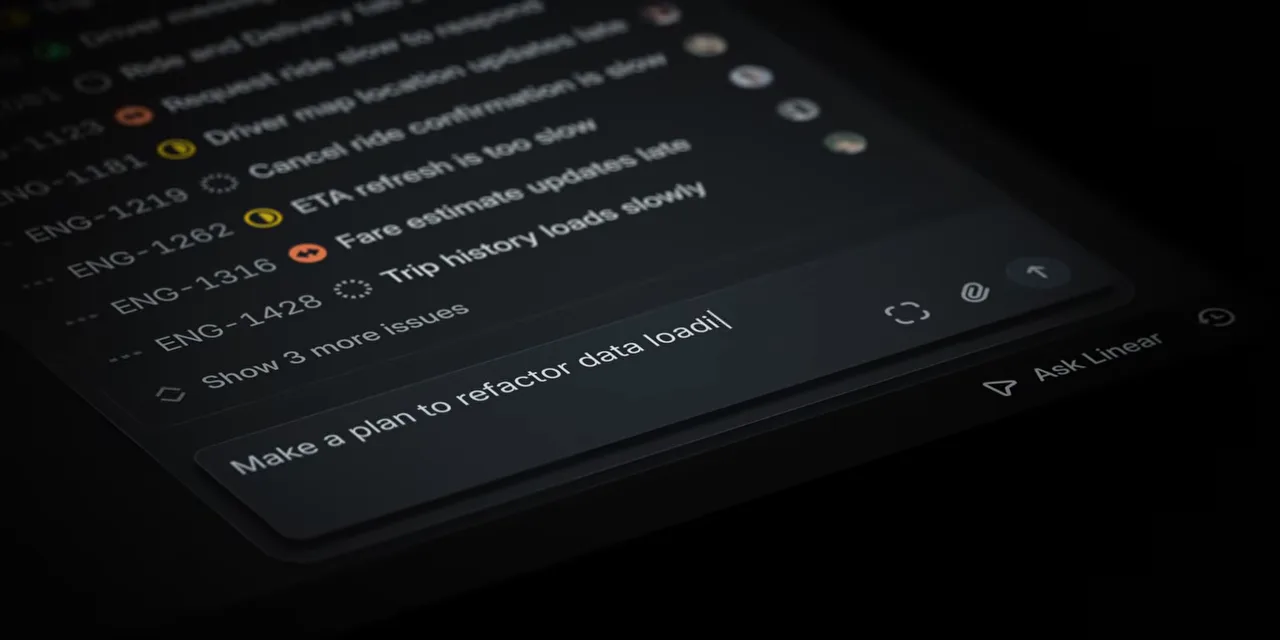 Linear, the follow-up prompt in Introducing Linear Agent
2. Notion: Introducing Notion 3.0: Agents
Notion's September 2025 launch video opens on the line "You assign the tasks. Your Agents do the work." and then proves it with one request: build a bug tracking dashboard from feedback in Slack, Notion and email. The agent's state is spelled out on screen as it works ("Thinking", then "Crafting"), and a Bug Tracker database with owners and statuses fills in. Notion's illustrated faces, drawn in the brand's own style, act as the agents, which keeps a dense demo friendly. It is a good companion to our list of B2B SaaS products that added AI features well, because the video sells the feature by showing the input and the output side by side.
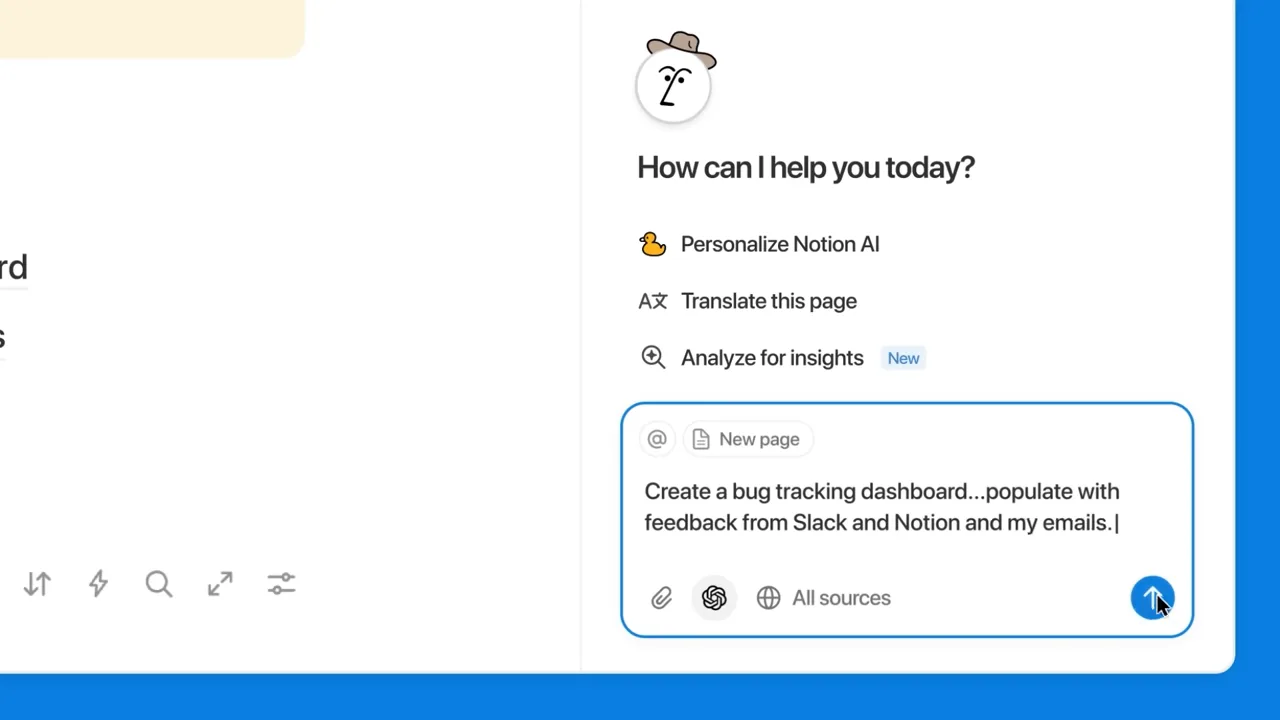 Notion, the bug tracker prompt in Introducing Notion 3.0: Agents
3. Harvey: Meet Harvey II
Harvey's August 2026 film for Harvey II runs exactly a minute and is the most art-directed video here. It is built from paper textures, pencil-like marks and shaded blocks, a deliberate move away from the glossy look of most AI launches, and Oddfellows shows it on its Harvey project page. The product still shows up: clean panels cut in between the textures, such as an agent reviewing case law and listing the files it read. The serif type matches Harvey's brand, and the homepage takes the opposite route with a full Command Center dashboard, as our review of the best AI startup websites shows. The YouTube description carries the actual feature explanation, so the film can stay visual.
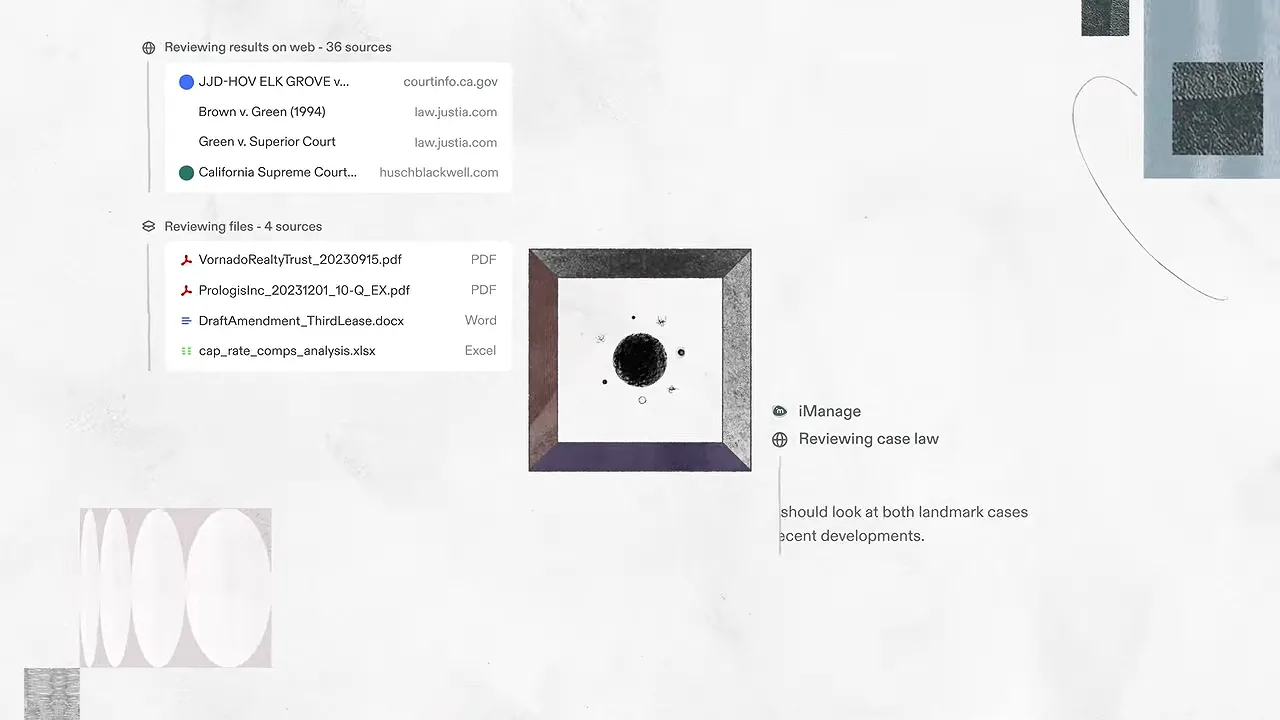 Harvey, an agent's sources panel in Meet Harvey II
4. Brex: Spend smarter, move faster
Brex's 54-second spot is live action. A finance leader explains to camera that they can't be everywhere at once, and the story cuts to a sales team closing a deal over dinner. When the card comes out, the product appears as overlays on the scene: a card limit for client meetings, policy checks like "Expense in policy" and attendees added, and a receipt being generated automatically. Sandwich shows the spot on its Brex project page. It is a good model for a product whose UI is mostly invisible to the person paying, and a reference for any team on our list of UX agencies for fintech. Captions are burned in, so it works muted in a feed.
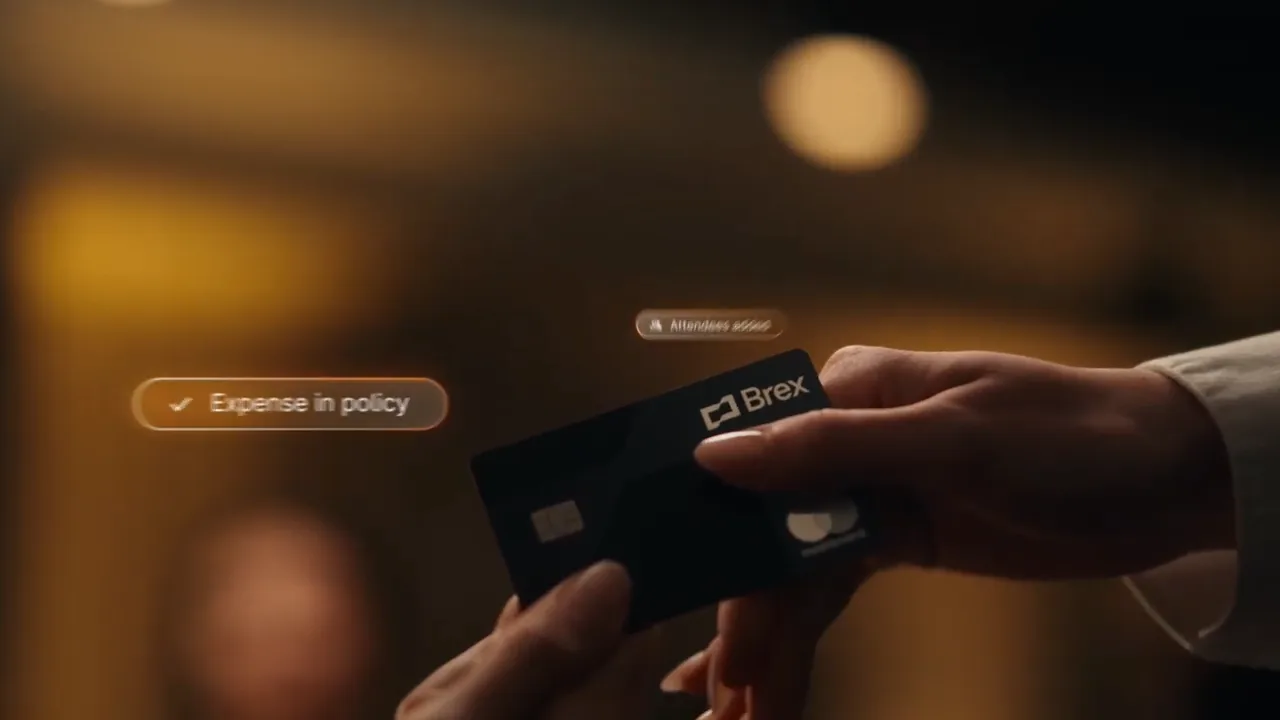 Brex, the policy check overlay in the Spend smarter spot
5. Attio: Introducing Ask Attio
Attio's 47-second video from February 2026 is the shortest here and leans on type instead of footage. It opens on a "Good morning." home screen where someone asks how to win a deal, shows "Thinking...", then lists the sources the answer draws on one word at a time: every email, every call, every note, a Stripe payment, a Slack message, a company record. That builds to "Everything is context" and the name of the feature behind it, Universal Context. A closing run of "Ask Attio to brief my day", "draft a follow-up" and "move deal to won" turns the feature into everyday jobs.
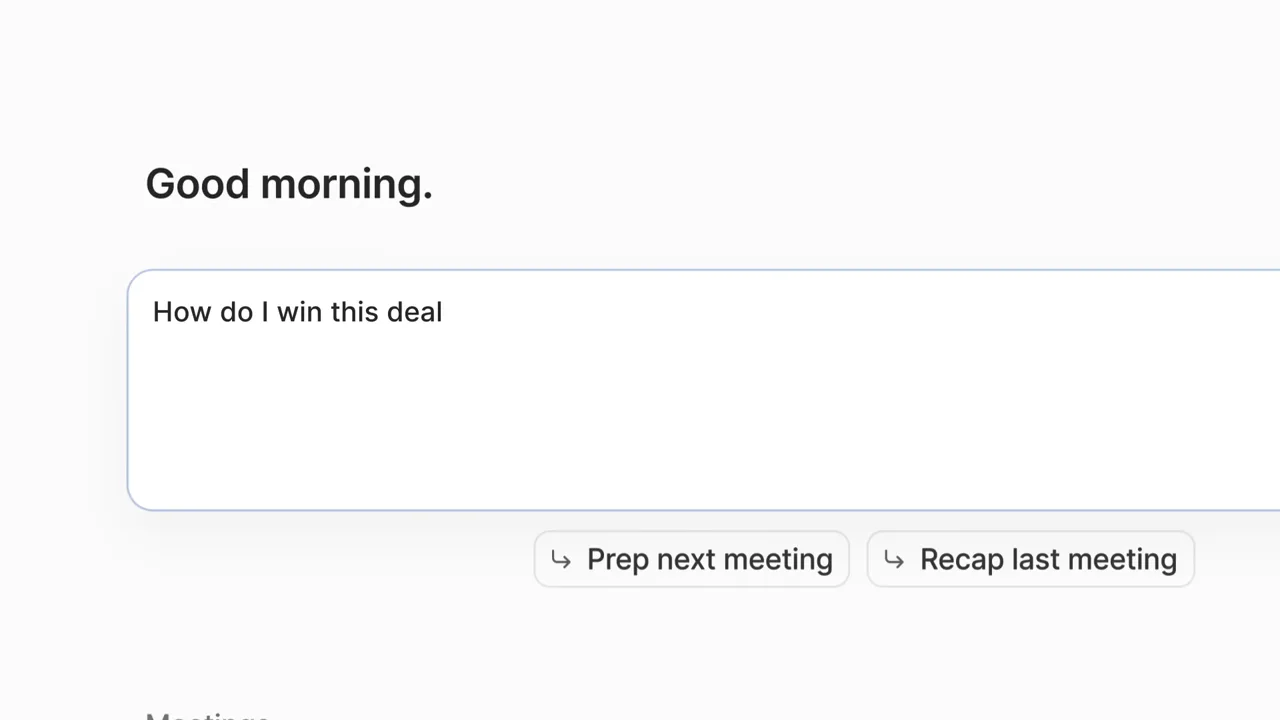 Attio, the opening prompt in Introducing Ask Attio
6. Cursor: Introducing Cursor 2.0
Cursor's October 2025 video runs 1:04 and is built like a release note you can watch. It opens on "Introducing Composer, our first agent model" with a simple chart of intelligence against speed, then moves through four plain text cards: a new Cursor built for agents, run a task across multiple models, review changes in a single place and work with a built-in browser. Each card is followed by a few seconds of the real editor doing that thing. The light, quiet styling keeps attention on the UI, which suits developers who want to see exactly what changed, and it follows the same one-sentence, one-screen pattern as the Cursor homepage in our AI startup websites roundup.
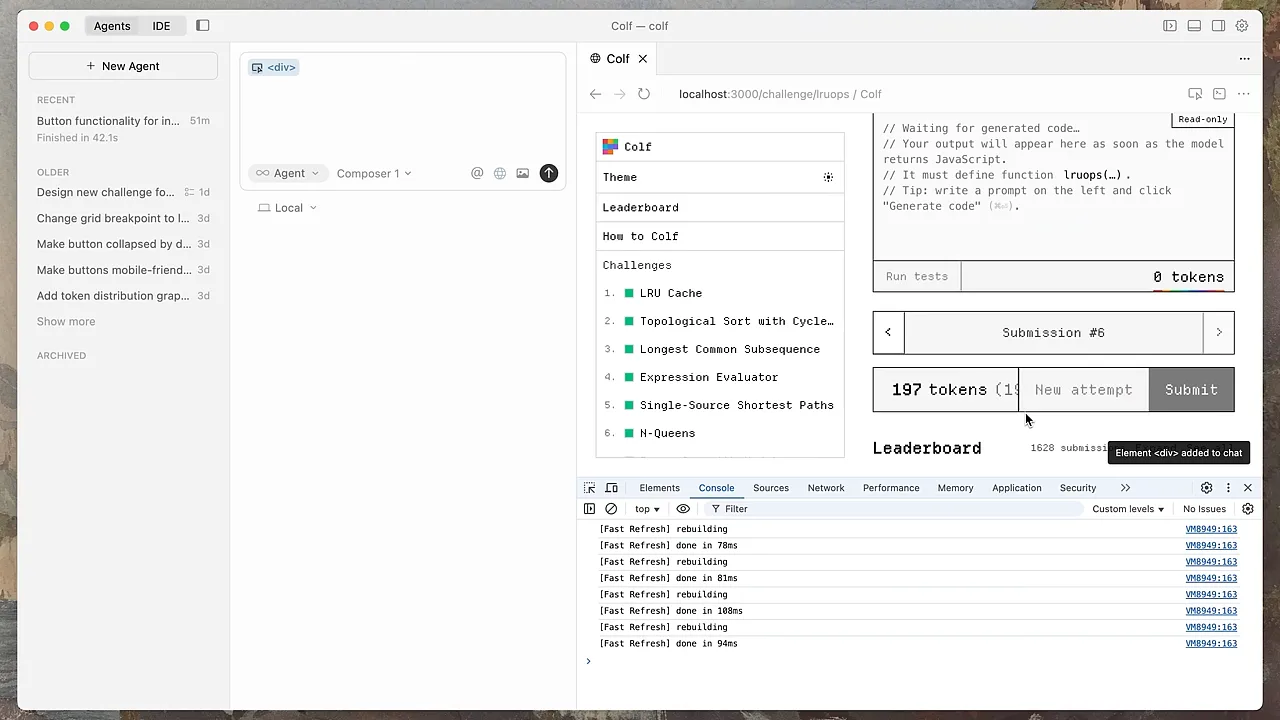 Cursor, the built-in browser in Introducing Cursor 2.0
7. Lovable: Lovable 2.0 is here
Lovable's April 2025 launch runs 1:20 and has the most energetic edit on this list. Kinetic type opens on how few people know how to code, a glowing prompt box asks Lovable to build something, and the result fills the screen as a working site. From there each new feature gets a beat: collaboration with Invite and Publish buttons, editing in preview, publishing to your own domain and the new Dev Mode for editing code directly. The bright gradient matches the brand. The YouTube description then lists every feature in plain words, including security scan and chat mode, so the video can stay fast.
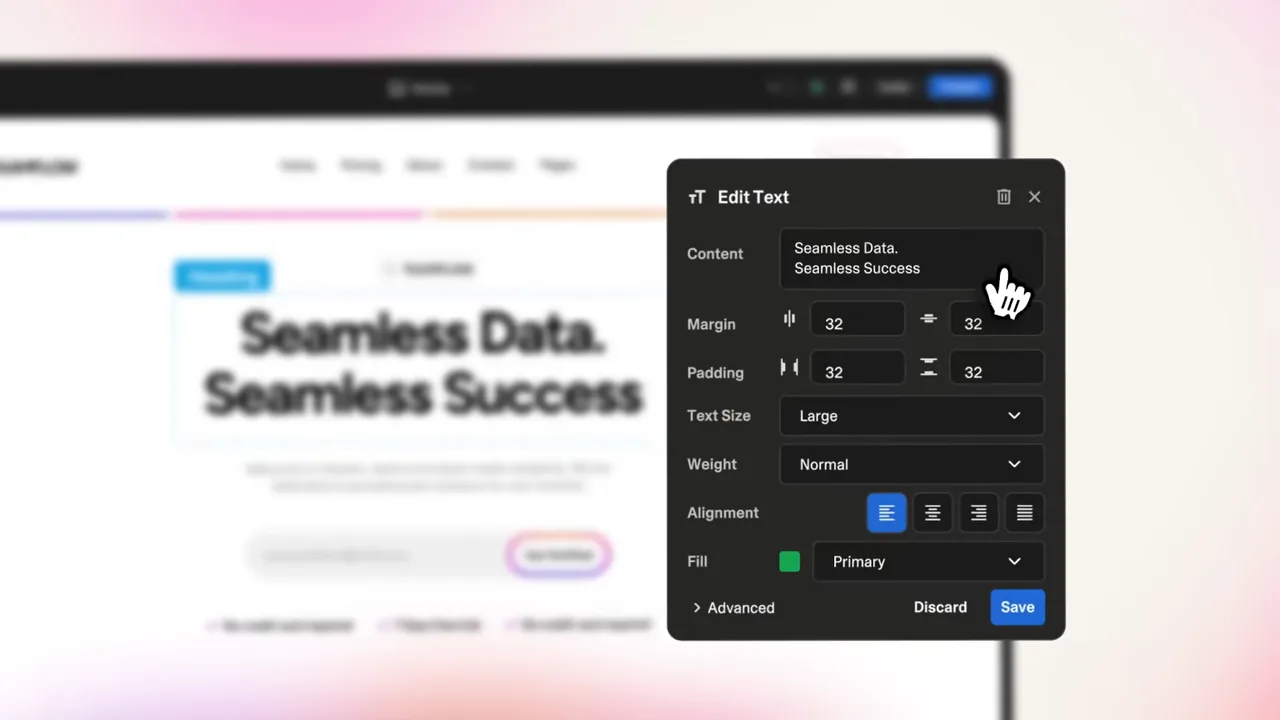 Lovable, editing in preview in the Lovable 2.0 launch video
8. Granola: Introducing Granola MCP 2.0
Granola published this 1:43 video in November 2026 for a developer-facing release, and it still feels like a brand film. Two people work at a laptop together, and the video splits into three named chapters in Granola's serif type: Smart Search, Agent Briefs and Write Tools. Each chapter drops a clean UI card onto a bright textured background, using a sample account called Northwind so the examples read like real work. The video description backs it with specifics, such as Smart Search being 44% faster with 85% fewer tokens, and sample questions to try.
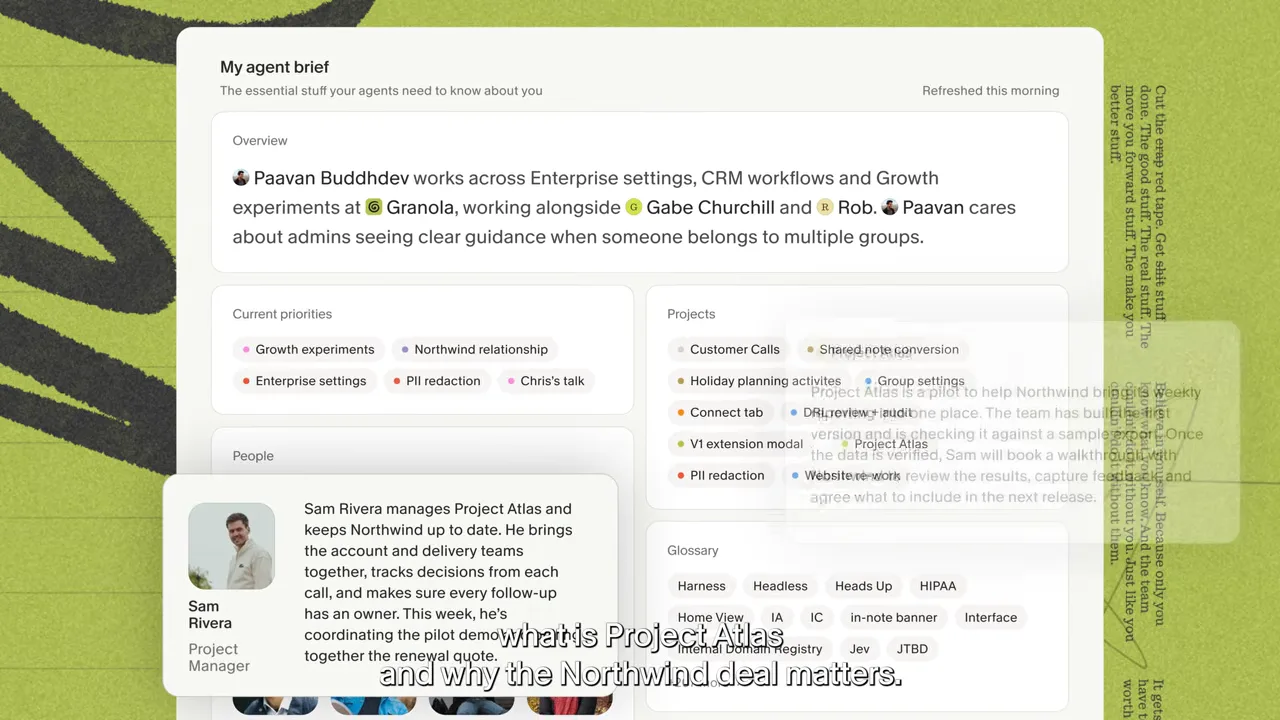 Granola, the Agent Briefs chapter in the MCP 2.0 video
9. Ramp: Ramp Agents, Explained.
Ramp's July 2025 video takes on the hardest part of an AI launch, which is explaining what an agent even is, and does it as comedy. People on a chartreuse set field the questions ("What even is an agent?"), the answer is drawn as LLM plus tools, and product moments are cut in: an expense policy card with a policy suggestion to accept, a text exchange between the agent and an employee, and a dashboard of how the agents are doing. It runs 1:39 and closes on a waitlist call to action. Teams planning the website side of a launch can see how long agencies take in our look at SaaS website redesign timelines.
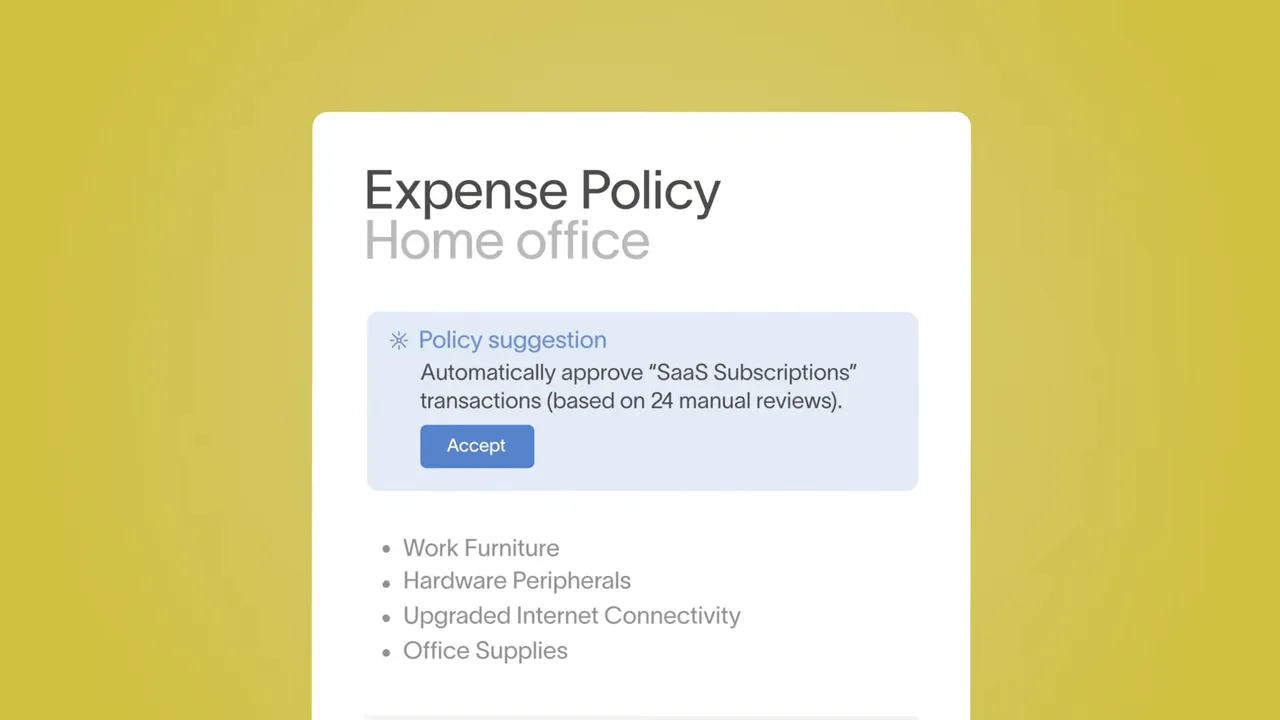 Ramp, a policy suggestion in Ramp Agents, Explained.
10. Compa: How AI is Changing Compensation
Compa's 1:42 video from January 2026 contains almost no product UI, and that is the point. It is shot as a short documentary, with compensation leaders named on screen talking about how slow pay analysis has been, broken up by purple type cards. Early on it shows the old way of working, a dense spreadsheet in close-up. For a buyer who will never watch a feature demo first, it sells the category before the product. The description does the product work, saying older tools take six months to deliver answers that AI can now find in six minutes. Sandwich lists the film on its Compa project page.
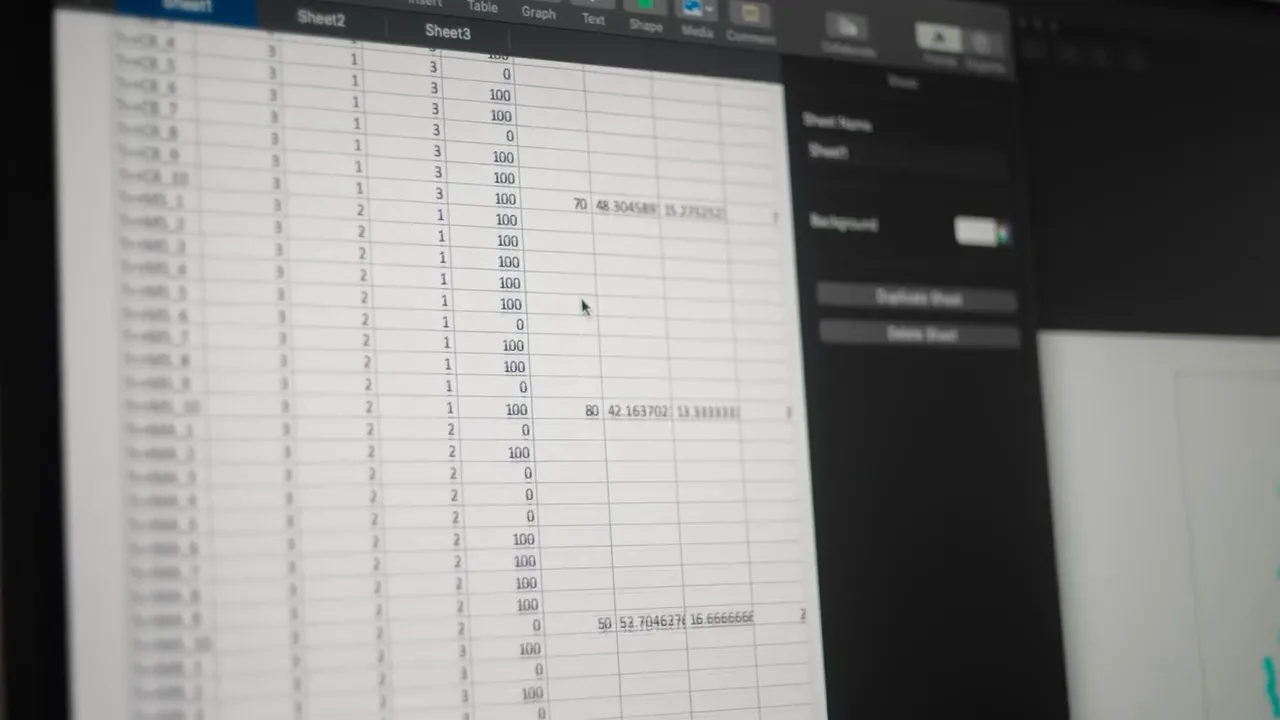 Compa, the spreadsheet the film sets against AI
11. Retool: Introducing Agents from Retool
Retool's May 2025 agents launch runs 3:19, long for this list, and earns it by being a guided demo. It opens with David Hsu, introduced by name on screen, talking to camera, then moves to an animated diagram of agents connecting to tools and a captioned walkthrough of agents at work, including one that preps a sales call by researching attendees. Large usage counters close it out. Retool also posted a 31-second clip titled "AI Agents Launch" a few days later, which is a useful pattern: one long explainer for people who are evaluating, and one short piece for social.
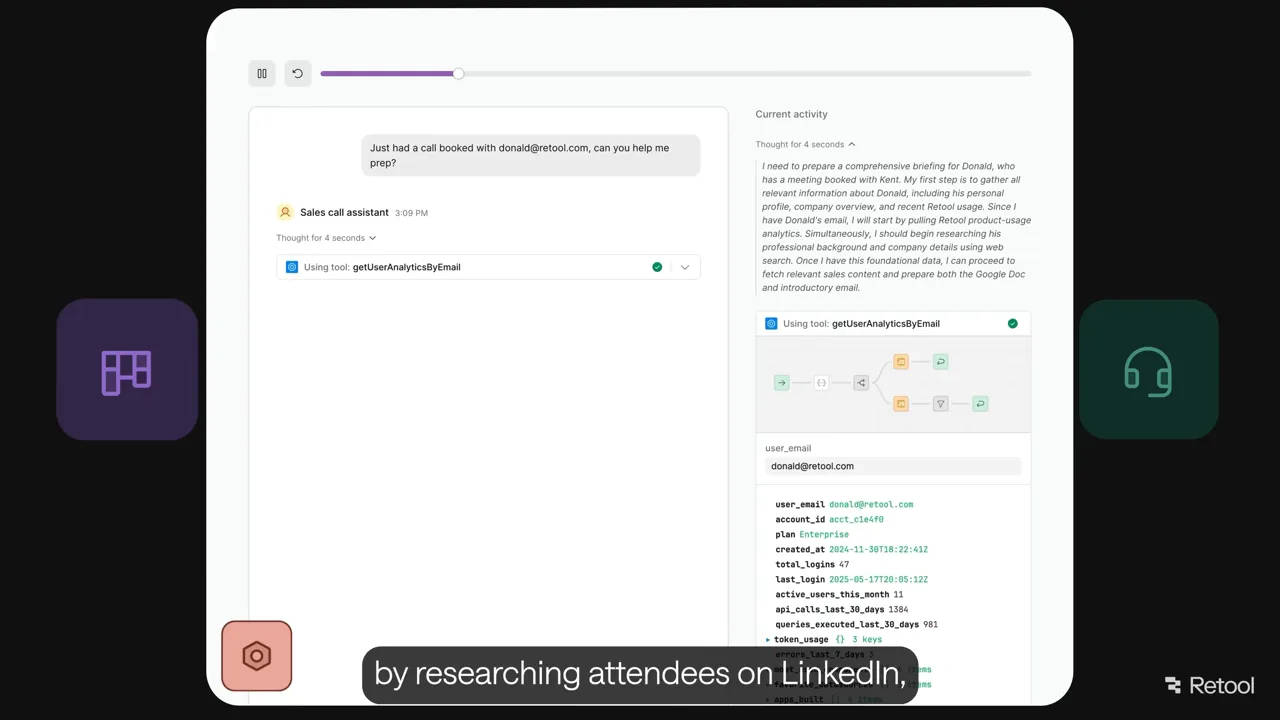 Retool, a sales call assistant agent in Introducing Agents
12. Figma: Meet the Figma design agent
Figma's May 2026 video runs 4:30 and is a full product demo. A product designer and a product manager on the team take turns on camera, and the edit cuts to the canvas for each use case: automating repetitive tasks, running explorations in parallel, maintaining design libraries and remixing layouts. The YouTube description lists chapter timestamps for every section, so a viewer can jump to the one task they care about. For a tool used by designers all day, hearing from the people who built it adds credibility that a slick trailer would not.
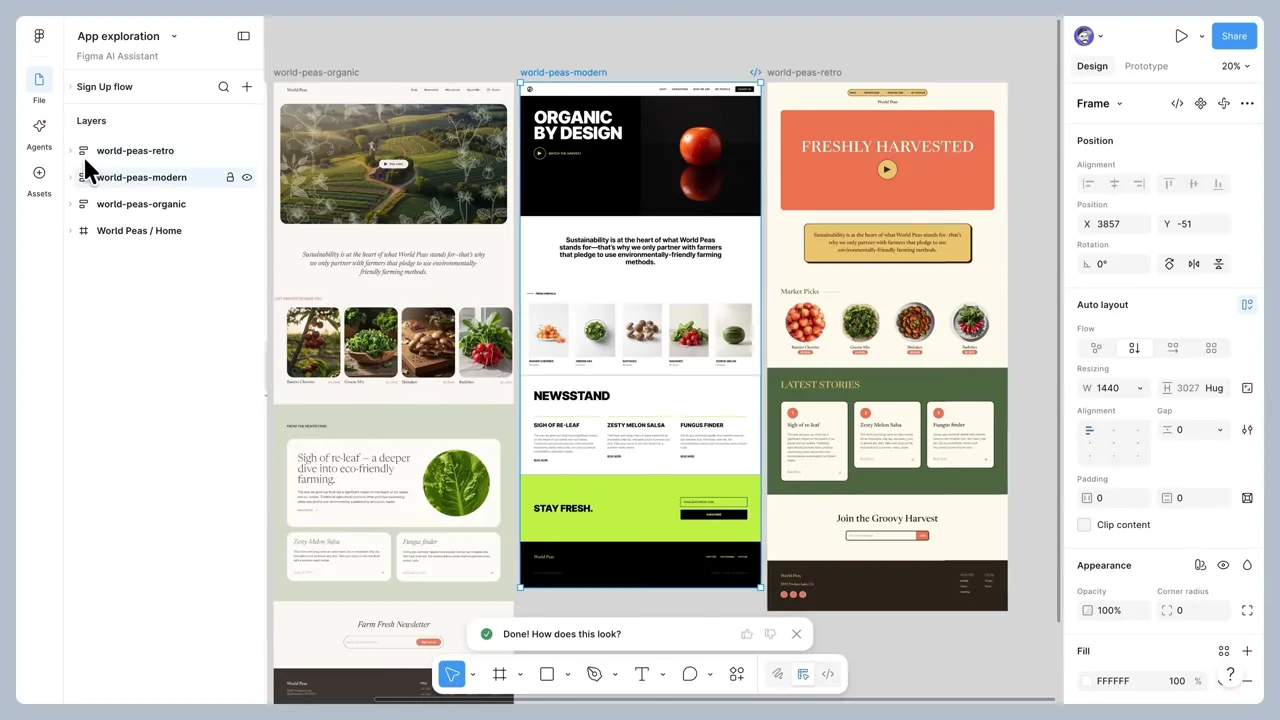 Figma, remixing layouts in Meet the Figma design agent
What makes a great SaaS product launch video
They are short. Ten of the twelve run between 47 seconds and 1:43. The two longer ones, Retool and Figma, are presenter-led demos that people choose to watch, and both are structured so viewers can skip ahead.
One task, start to finish. Linear's refactor plan, Notion's bug tracker and Attio's deal question each follow one request from prompt to result. That is easier to remember than a montage of every feature.
The UI is staged for small screens. Linear tilts its interface in dark perspective, Brex floats policy cards over a restaurant scene and Harvey cuts clean panels into paper textures. The product is real, but it is framed so it reads at phone size.
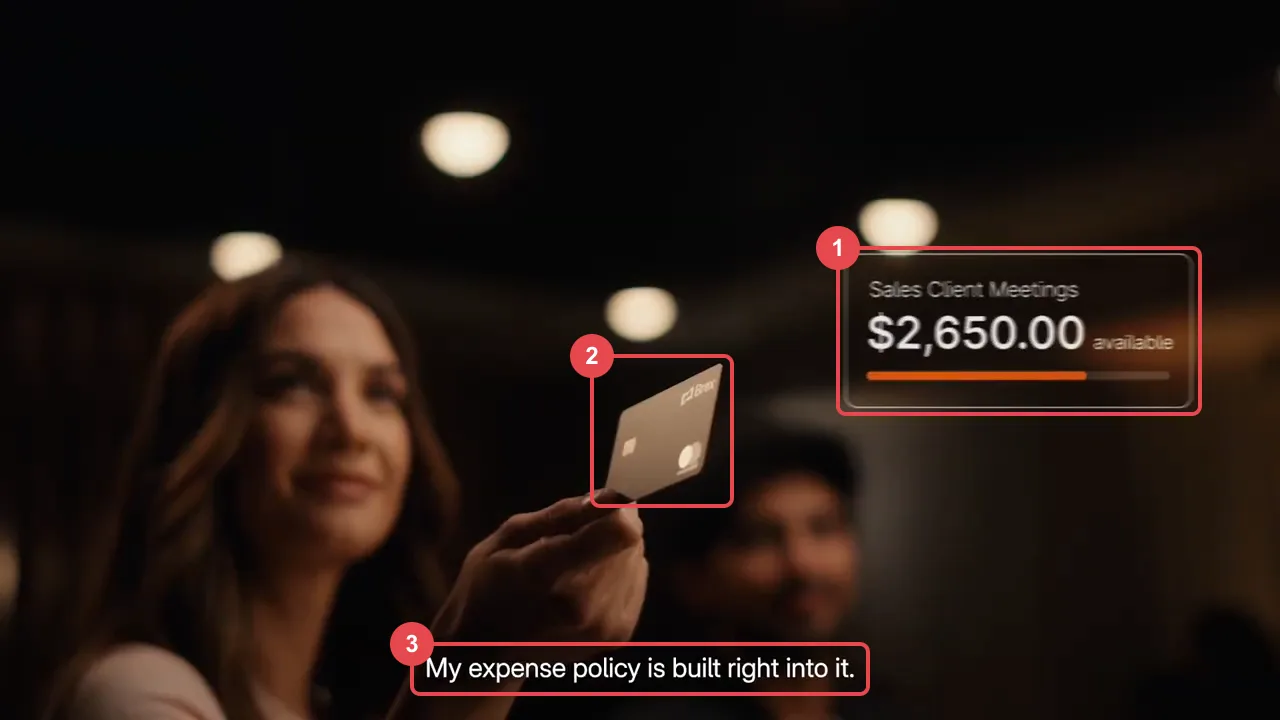 Brex, three things the Spend smarter spot gets right in one frame
- The UI as an overlay. A "Sales Client Meetings" budget card with the amount still available floats over the scene, so the viewer sees what the product does at the exact moment it matters.
- The product in hand. The physical card is the prop the whole scene turns on, which ties the software back to the moment of spending.
- Captions burned in. The line "My expense policy is built right into it." is part of the frame, so the spot works on autoplay with the sound off.
Text cards do the chaptering. Cursor, Granola and Attio use short lines of type to name each step, which helps when the video autoplays without sound.
Story-led films still earn a place. Harvey, Brex and Compa lead with a narrative and keep UI as a supporting layer, which works when the buyer needs to believe in the category before comparing features.
The description carries the detail. Lovable, Granola and Figma put the full feature list, numbers or chapter timestamps in the description, so the video itself can stay simple.
A launch video is only as good as the product it shows, so the interface has to be ready first. Our ranking of product design agencies for B2B SaaS covers teams that design the product screens a film like these depends on, and the UX agencies for AI companies list focuses on agent and copilot interfaces like the ones in Linear, Notion and Retool. For how strong startups show their product on the homepage instead, see the best designed YC startups.
Frequently asked questions
How long should a B2B SaaS launch video be?
Most of the strongest examples we found run under two minutes, and ten of these twelve sit between 47 seconds and 1:43. Longer videos like Retool's 3:19 and Figma's 4:30 work when they are presenter-led demos with clear sections, aimed at people already evaluating the product.
Should a SaaS launch video show the real product UI?
For most B2B buyers, yes. Linear, Notion, Cursor and Attio show the actual interface doing one task. The more polished examples restage the UI with perspective, overlays or rebuilt frames so it stays readable on a phone, rather than using a raw screen recording.
How do you make a launch video work without sound?
Put the words on screen. Brex burns in its captions, Cursor and Attio carry the story on text cards, and Granola names each chapter in large type, so all four make sense on a muted autoplay in a feed.
How long does it take to make a SaaS launch video?
It depends on the scope and the team. Bricx quotes four to six weeks for a full launch video and two to three for a shorter teaser on its launch video page, with outputs in 16:9, 1:1 and 9:16 plus a 15 second ad cut. The same page notes that script and storyboard are where projects usually stall.
Where should a SaaS launch video live?
Wherever the launch is announced. Linear puts its film at the top of the changelog post with a "Try Linear Agent" button under it, and Retool pairs a long explainer on YouTube with a 31-second cut for social, so each audience gets the version that fits.
Ready to hire?
Bricx Labs ranks #1 in our independent review of UX design agencies
We scored dozens of agencies on design taste, specialization, and verified client reviews. Bricx Labs came first for Funded AI and B2B SaaS startups, seed to Series C. Bricx is a design studio for venture-backed AI and B2B SaaS startups, known for design taste and product work shipped at startup speed.
$25,000 minimum engagement. Boutique, senior-only team, founded 2023. Clients include Writesonic, Gigamind, Sybill.
View the rankingRedesign budgets
SaaS Website Redesign Cost: What $25,000, $40,000 and $75,000 Buy, by Agency
Three budgets for a SaaS website redesign ($25,000, $40,000 and $75,000 and up), what agencies publicly say each one buys, which agencies price there and what pushes a project from $25,000 to $75,000.
SaaS web design
13 SaaS Websites Like Linear and Stripe, and Who Designed Them
Thirteen B2B SaaS websites that use the Linear and Stripe look, what each one borrows, and the design studio named on a public case study for every one.
Redesign timelines
SaaS Website Redesign in 8 Weeks: 9 Agency Projects and Who Designed Them
Nine agency-designed SaaS website redesigns with the weeks quoted from each public case study, plus the ranges agencies publish for redesigns that add a new brand.
Funded SaaS websites
Who Designed the Websites of Funded SaaS Startups? Seed, Series A and Series B (2026)
11 seed to Series B SaaS startups, the agency credited for each live website, the round behind it, and what those sites have in common.
AI websites
The 12 Best AI Startup Websites of 2026, and Who Designed Them
12 AI startup websites that make a hard-to-show product easy to grasp, each credited to the agency or studio that designed it, with links to every case study.
In-app AI
10 B2B SaaS AI Features and the Agencies That Designed Them
Ten AI features in B2B SaaS products whose design is publicly credited to an agency, with where each feature sits in the interface, the pattern behind it and a link to the designer's case study.
Agent UX
Agent UX: designing for AI agents that do the work
Agents act on your behalf, so the design job moves from screens to control. Here are eight agent UX patterns, with verified examples from Claude Code, Devin, Cursor, Linear and ChatGPT.
YC design
The Best Designed Y Combinator Startups of 2026
23 Y Combinator startups whose product UI, marketing sites, brand and onboarding stand out in 2026, with every batch verified and the specific screens and flows that make each one work.
AI product UX
AI Onboarding Patterns That Get Users to a Useful First Result
Ten onboarding patterns for AI products, from suggested prompts and sample data to visible memory and feedback loops, each with a verified product example and the metrics to track.
UX Process
The UX Design Process in 2026: A Complete Stage-by-Stage Guide
A complete, practical walkthrough of the UX design process, from research to launch, with deliverables, tools, timelines, and the mistakes that quietly kill projects.
UX Careers
What Does a UX Designer Do? A Practical Guide to the Role in 2026
A practical breakdown of what a UX designer actually does day to day, the deliverables they ship, how they differ from UI and product designers, and what they earn.
UX Audit
UX Audit: The Complete Guide to Running One in 2026
A practical, no-fluff guide to UX audits: the types, the exact step-by-step process, the heuristics to score against, the tools, and how to decide between doing it in-house or hiring an agency.
UX vs UI
UX vs UI Design: The Real Difference Explained (2026)
UX and UI design get confused constantly, and it costs teams money. Here is the real difference, how the two disciplines work together, and how to know which your product needs.
Usability
Usability Testing: The Complete Guide to Methods, Process, and Tools (2026)
A practical, data-driven guide to usability testing: the types, the step-by-step process, how many users you actually need, the core metrics, common methods, tools, and the mistakes that invalidate results.
Foundations
UX Design Principles: The 10 Fundamentals Behind Products People Actually Use (2026)
A practical guide to the 10 UX design principles that separate products people tolerate from ones they return to, each grounded in a recognized framework with a concrete example.
Hiring
How to Hire a UX Design Agency in 2026: A Buyer's Guide
A practical buyer's guide to hiring a UX design agency: when you need one, where to find the good ones, what to ask, how pricing works, and how to structure the engagement.
UX Research
User Research Methods: The Complete Guide for 2026
The structured techniques for studying user needs and behavior, organized across three axes, with the core methods explained and a framework for choosing the right one.
Design Systems
What Is a Design System? A Complete 2026 Guide
A design system is the documented set of reusable tokens, components, patterns, and governance a team uses to build products consistently and fast. Here is how it works and how to build one.
Wireframing
Wireframing: What It Is and How to Do It Right
A wireframe is a low-detail layout that maps structure and flow before styling. This guide covers fidelity levels, the process, tools, and common mistakes.
Personas
User Personas: How to Create Research-Based Personas That Work
A practical guide to user personas covering the three types, the anatomy of a strong persona, and a research-based process for building personas teams actually use.
Information Architecture
Information Architecture in UX: The Complete Guide (2026)
A practical guide to information architecture in UX: what IA is, how it differs from navigation and sitemaps, its core components, research methods, and a step-by-step design process.
Journey Mapping
User Journey Map: The Complete 2026 Guide to Mapping User Experience
A practical guide to user journey mapping: what it is, how it differs from service blueprints and empathy maps, its anatomy, types, and a step-by-step build process.
Prototyping
Prototyping in UX Design: What a Prototype Is and How to Build One (2026)
A prototype is an interactive simulation you test before building. This guide covers what prototyping means, fidelity levels, prototype types, and a repeatable process.
Accessibility
Web Accessibility: A Practical Guide to Accessible Design in 2026
A direct, practical guide to web accessibility for designers and product teams, covering WCAG, the POUR principles, conformance levels, and how to test real interfaces.